Graphics

Magic Mirror - Stencil Portals (Iterative Log)

Shader
Stencil Buffer
Render Queue
Debugging

A step-by-step breakdown of implementing a Stencil Portal. Instead of just showing the final result, this log documents the specific render state problems encountered at each stage (depth conflicts, occlusion, sorting) and the logic used to solve them.

Stencil Buffer Portal Effect
FORWARD::SINGLE_PASS (HEAVY_FRAG)STATUS::MODIFIED
Input Assembler[FIXED]
Vertex Shader[SHADER]
Tessellation[SHADER]
Geometry Shader[SHADER]
Rasterizer[FIXED]
Fragment Shader[SHADER]
Output Merger[FIXED]
MODIFIED
UNTOUCHED

The Goal: A “Magic Mirror”

Vision: I want to place a mirror in a modern room scene. Through the mirror, one can see a hidden Japanese Shrine Space—red Torii gates, sake barrels, and cherry blossom trees. Outside the mirror, these objects must be invisible.


Phase 1: Initial Attempt - Basic Stencil Logic

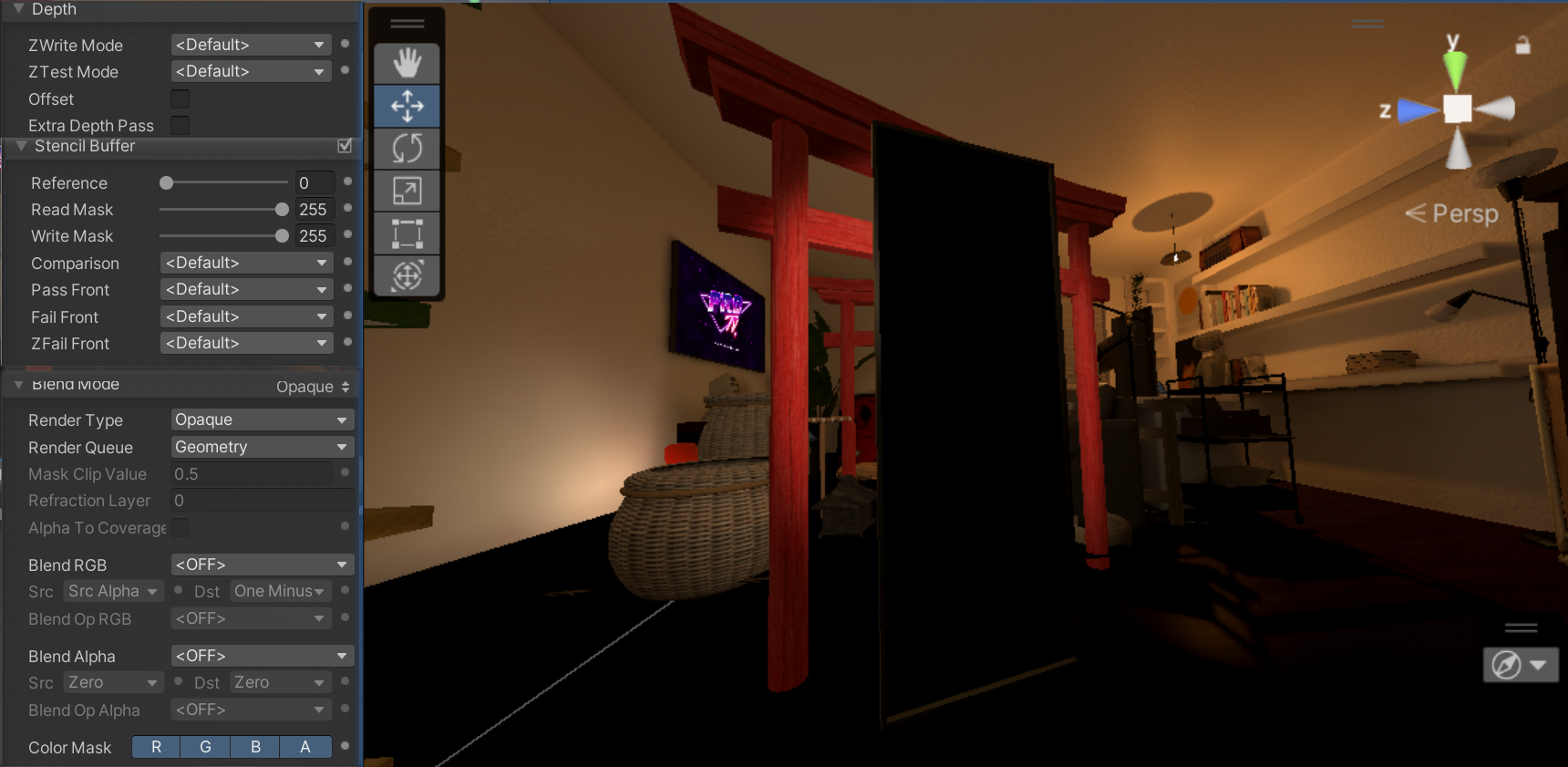
📸 Screenshot 0 (Screenshot B):

Model Showcase
Showcasing the models used in the scene.

Hypothesis: The principle of Stencil is “cutting holes”. I just need the mirror to write ID=1, and then have the Torii gates and barrels only render where ID=1.

Operations:

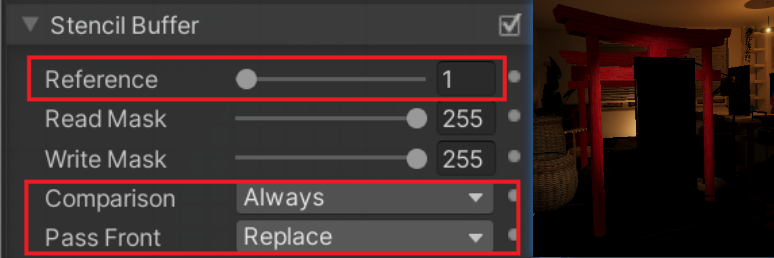
  1. Window (Mirror): Stencil Ref=1, Comparison=Always, Pass Front=Replace. 📸 Screenshot 1 (Screenshot B):
Window Stencil Settings
Stencil Setup: Configuring the mirror to write ‘1’ to the buffer.
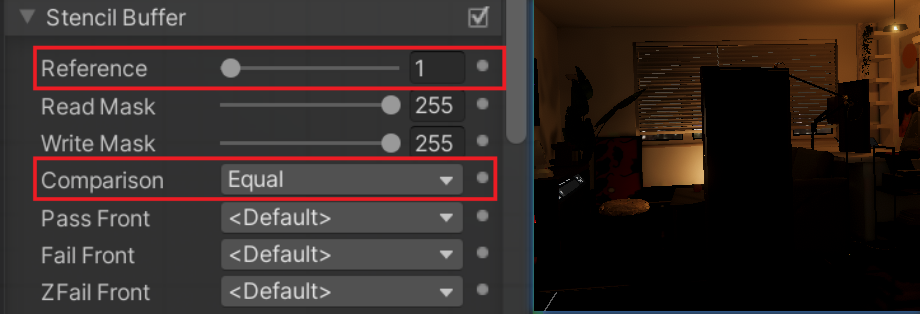
  1. Object (Torii/Barrels): Stencil Ref=1, Comparison=Equal. 📸 Screenshot 1 (Screenshot B):
Object Stencil Settings
Stencil Setup: Configuring the objects to only render when the buffer equals ‘1’.

🔴 The Discrepancy: Initially, the mirror itself is an opaque box. Although it writes to Stencil, it physically occludes the objects behind it. We need it to visually “disappear” while keeping the logical “mark”.


Phase 2: Invisibility & Depth Fix - Render State Adjustment

Adjustment: The mirror acts as a “logic trigger”, so it shouldn’t be seen nor have physical thickness.

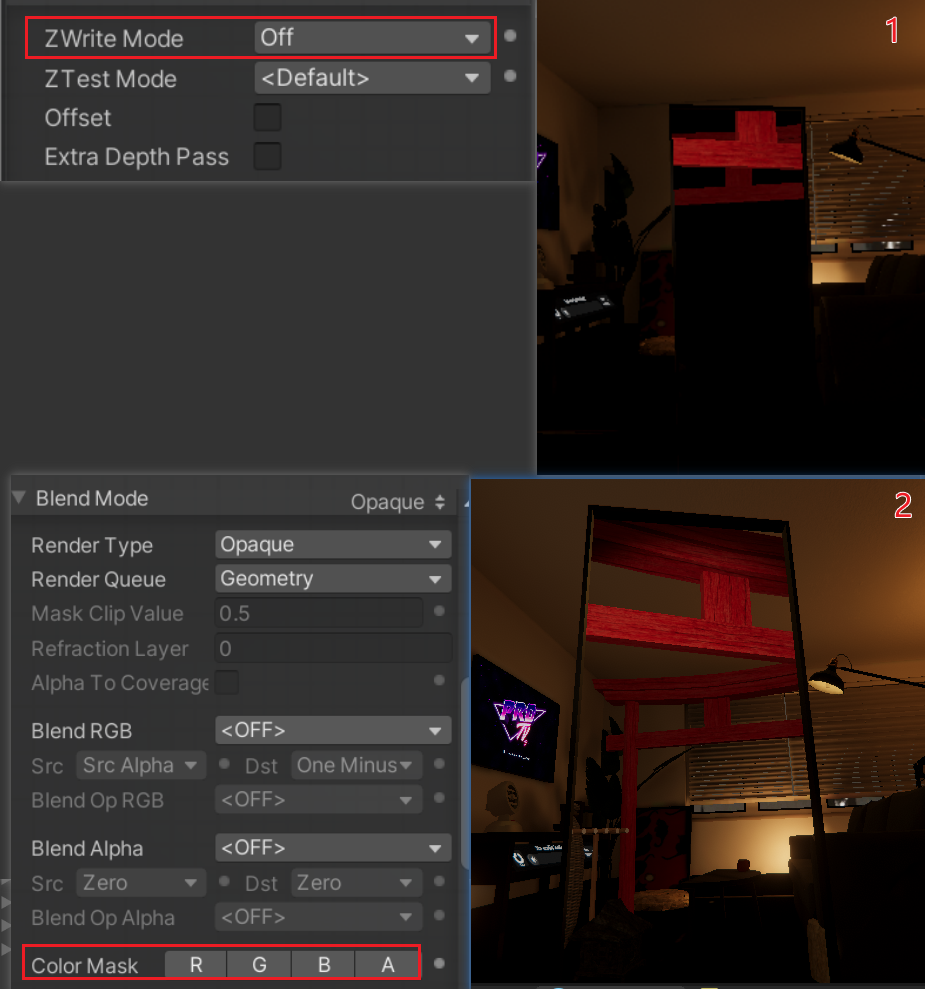
  1. Color Mask 0: Uncheck R/G/B/A to disable color output (Make it invisible).
  2. Z-Write Off: Disable depth writing (So it doesn’t block the wall behind it).

📸 Screenshot 2 (Screenshot B):

Mirror object settings showing Color Mask Off and ZWrite Off
Key Settings: Uncheck all R/G/B/A in Color Mask and set ZWrite to Off. The mirror is now a transparent logic entity.

🔴 The Conflict: The mirror is invisible, and the Torii gates appear. BUT! I can see the real-world walls and bookshelves through the mirror. The Torii gates look like “ghosts” superimposed on the bookshelf, lacking an independent background space. We need the mirror to have its own sky or void.


Phase 3: Clearing the Background - Introducing the “Cleaner”

Iteration: I need to wipe the “real-world wall” inside the mirror before drawing the Torii gates. Since I can’t actually clear the screen (Clear Flag), I’ll manually draw a “fake background” over it.

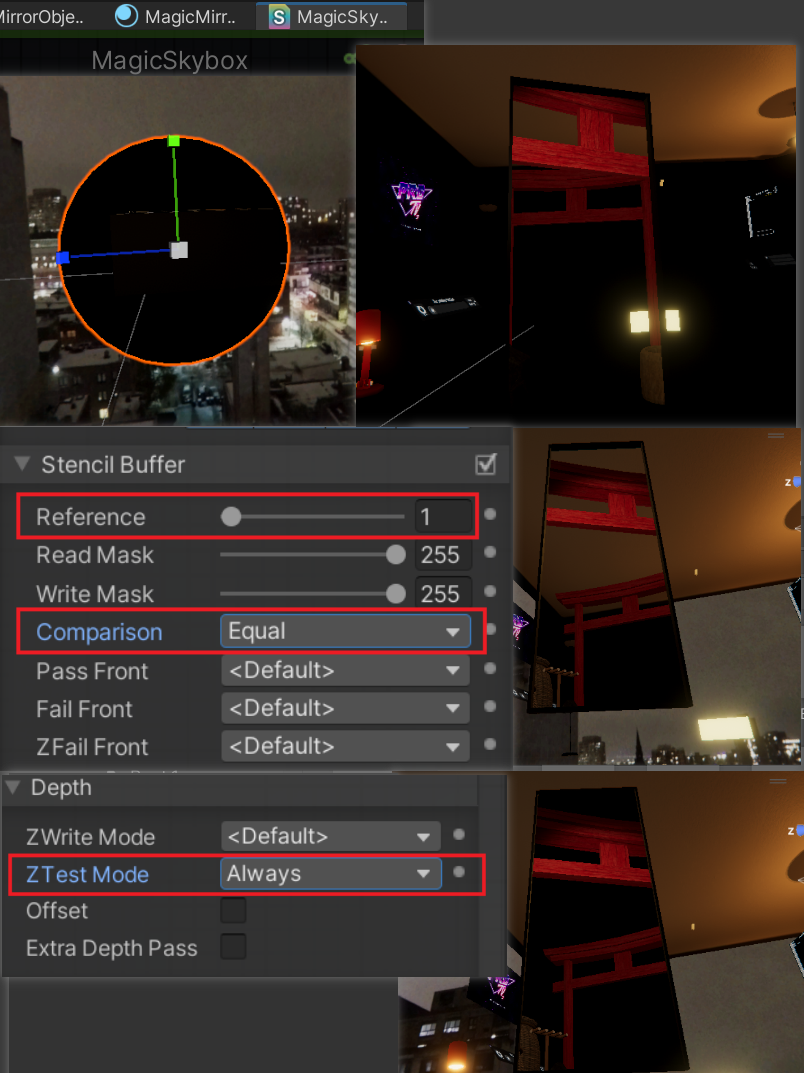
Operations: Add a Mirror Skybox.

  1. ZTest Always: This is crucial. Force it to ignore depth and draw directly in front of the room walls, overwriting them.
  2. Stencil Ref 1, Comparison Equal: Limit it to draw only inside the mirror.

📸 Screenshot 3 (Screenshot C):

Japanese Shrine objects in the scene
The hidden Japanese Shrine scene: Torii gates and barrels floating in the air. Without proper depth and sorting, they clip through the room background.

🔴 The Ordering Crisis: After adding the Skybox, Unity doesn’t know what to draw first. Sometimes the Skybox covers the Torii gates, or the screen flickers.


Phase 4: Final Architecture - Strict Queue Management

Final Solution: To solve the sorting issue, I must take over the Render Queue. I chose the AlphaTest (2450) queue because it naturally renders after all opaque objects (walls).

Strict Timeline:

  1. Queue 2000 (Default): Draw Real World (Room, Shelves).
  2. Queue 2460 (Window): Draw Invisible Mirror, Write Stencil = 1.
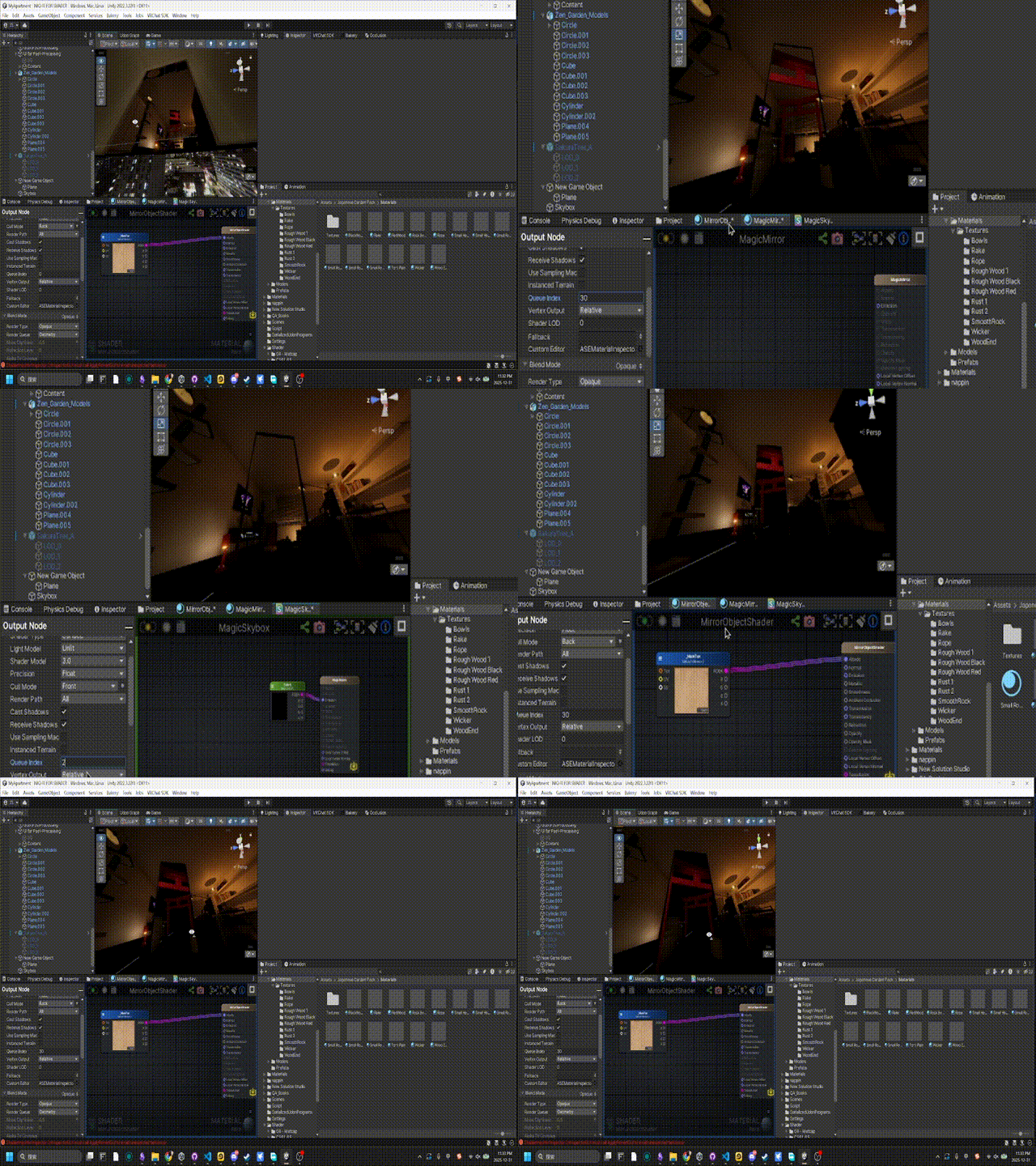
  3. Queue 2470 (Skybox): Draw Mirror Background (ZTest Always), overwriting the room walls.
  4. Queue 2480 (Shrine Objects): Draw Torii/Barrels, rendering normally on top of the background.
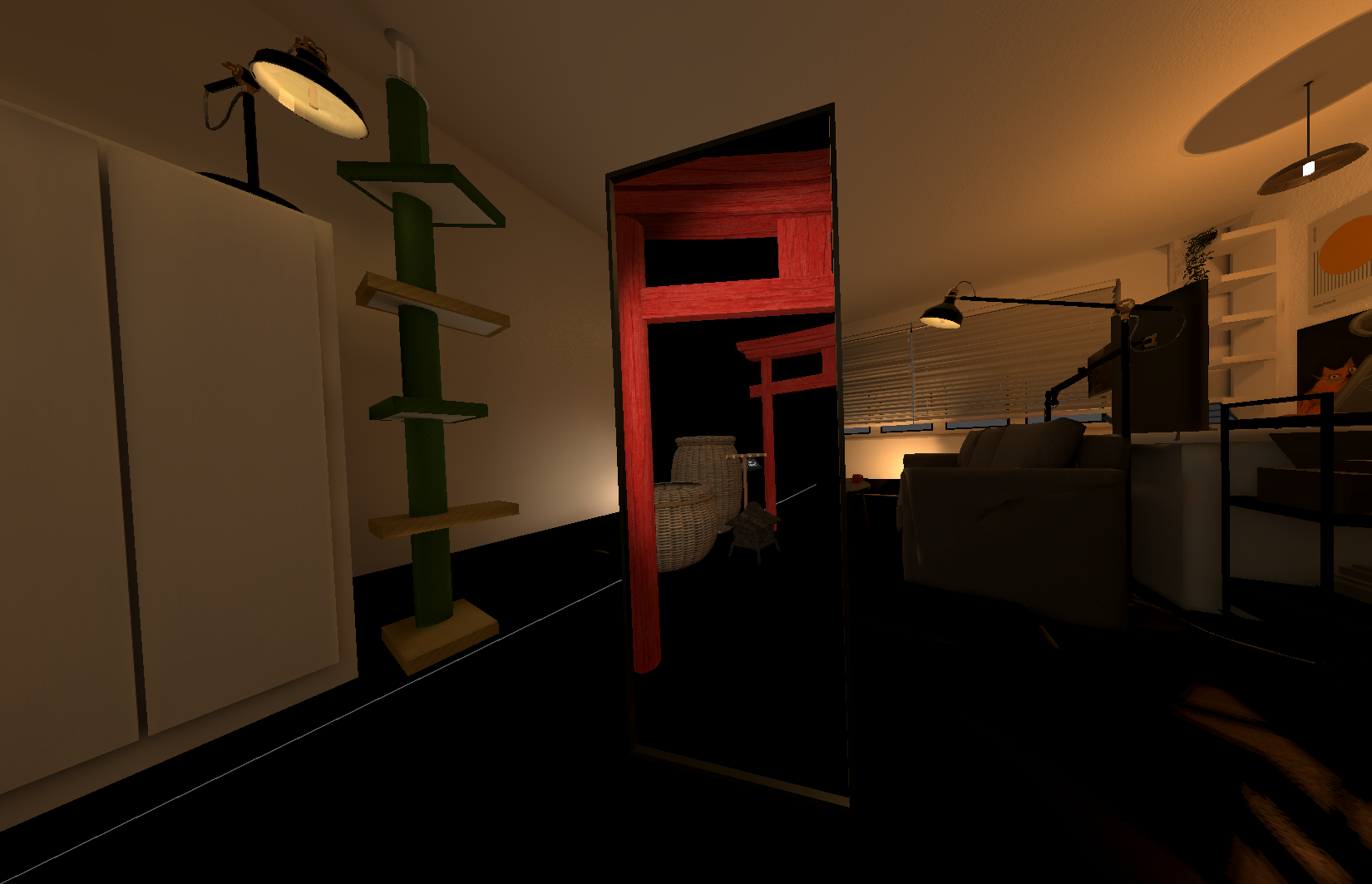
Correct rendering order showing Torii gates inside mirror
Final Form: By sorting via Render Queue, the room background is erased and replaced by a deep night shrine scene.

Appendix B: Production Notes

There is a technical limitation (Gotcha) that must be noted when implementing this solution:

1. Frame Debugger Bug If you try to debug this effect, Unity Frame Debugger clears the Stencil data between steps by default.

  • Fix: You must set the Frame Debugger’s Clear Flags to Don’t Clear. This allows you to see the Stencil being written and read step-by-step.